Building Piece Definition
A Building Piece Definition represents a single building component, such as a wall, a corner, or a floor slab.
How to Create
There are two main ways to create a Building Piece Definition:
1. Manual Creation
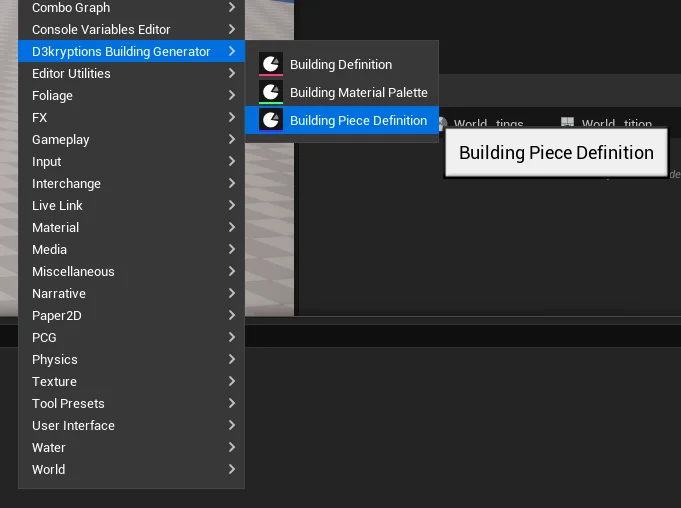
- Right-click in the Content Drawer.
- Navigate to the D3kryption Building Generator menu.
- Select Building Piece Definition.
2. From Static Mesh (Bulk Creation)
This is the recommended way if you have many assets:
- Select one or more Static Mesh assets in the Content Drawer.
- Right-click on the selected assets.
- Navigate to D3kryption's Building Generator -> Generate Building Piece Definitions.
If you add your sockets to the Static Mesh before using the bulk creation tool, the system will automatically scan those sockets and add them to the Socket Rules list for you.
Editor Tools
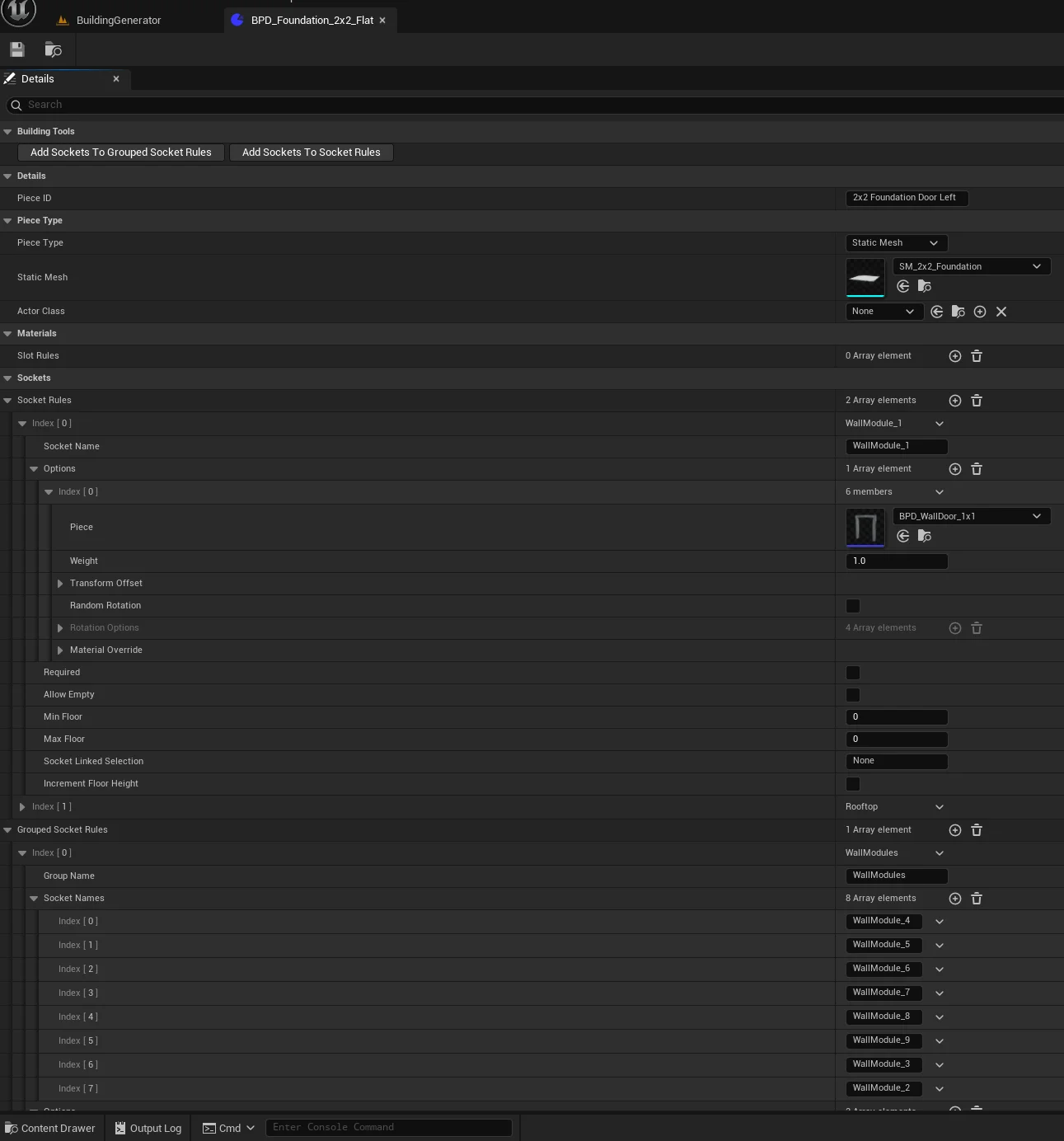
Inside the Building Piece Definition editor, you will find two utility buttons under the Building Tools category:
- Add Sockets To Socket Rules: Scans the assigned Static Mesh and adds any missing sockets to the
Socket Ruleslist. - Add Sockets To Grouped Socket Rules: Similar to the above, but for
Grouped Socket Rules.
Properties
| Property | Description |
|---|---|
| Piece ID | A unique identifier for this piece. |
| Piece Type | Choose between Static Mesh (standard) or Blueprint Actor (for interactive pieces like doors). |
| Static Mesh / Actor Class | The actual asset that will be spawned. |
| Slot Rules | Rules for how materials should be applied to specific slots on the mesh. See Material Palettes for detailed mode explanations. |
| Socket Rules | Rules for what other pieces can connect to the sockets on this piece. |
| Grouped Socket Rules | Rules that apply to a group of sockets. |
Best Practices
Material Merging
It is highly recommended not to merge opaque and transparent material-based meshes (such as a wall with a window) into a single Static Mesh if they are meant to be separate components. Doing so can cause shader glitches and sorting issues. It is better to have a wall piece and a separate window piece, or use a socket to place the glass.
Debugging with the DebugText Socket
If you want to see debug information for a specific piece in the world, you can add a socket named DebugText to the Static Mesh. When the Show Debug Text option is enabled on the Building Actor, information about that piece will be displayed at the location of this socket.